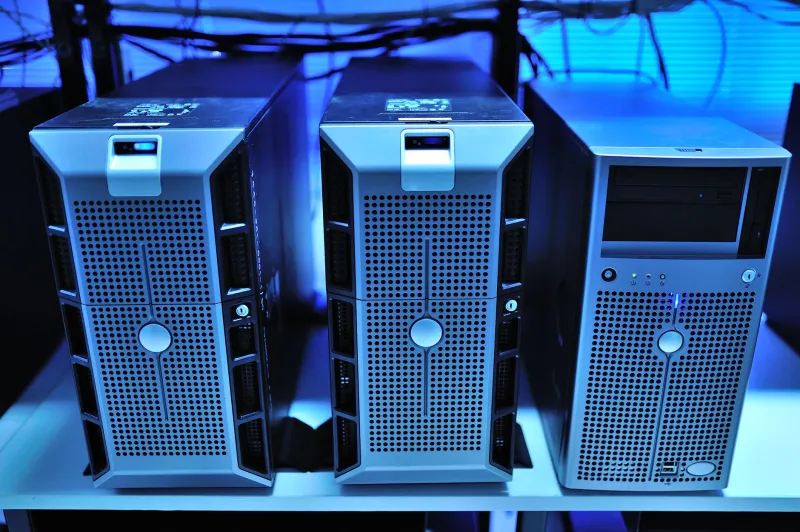
Silent Partners: Building a Home Compute Node Your Neighbors, Utility Meter, and HOA Will Never Notice
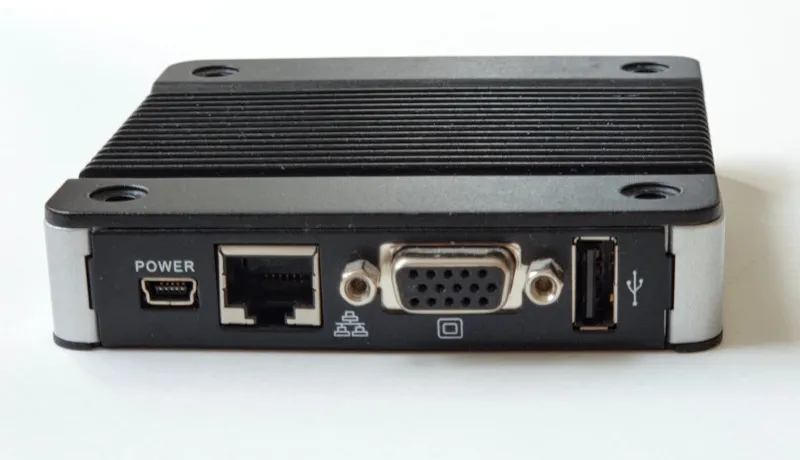
Photo: Mykhal, CC0, via Wikimedia Commons
The home compute movement has a visibility problem, and it isn't ideological — it's acoustic. A distributed network that pays contributors for spare cycles depends entirely on hardware that can run for weeks without drawing a noise complaint, tripping a thermal cutoff, or prompting a board member to measure decibels from the sidewalk. The good news: 2024-era hardware makes a genuinely silent, covenant-compliant compute node achievable for well under $1,500.
Start With the Chassis, Not the CPU
The single most important purchasing decision for a home node is thermal design, not raw performance. Fanless mini PCs built around passively cooled Intel N100 or N305 processors — the ASUS PN52-series fanless variants, the Odroid H4, and similar units — draw between 6 and 25 watts under load while producing effectively zero noise. A rack of four N100 nodes can deliver meaningful distributed-compute throughput while consuming less power than a single incandescent lamp.
For contributors who need GPU capacity, the calculus changes. Consumer GPUs under sustained load generate both heat and, via their fans, sound. The practical answer is undervolting and power-limiting: an RTX 4060 Ti capped at 80% power typically sheds 8 to 10 dBA and roughly 40 watts of draw while losing only 5–8% of throughput. For paid idle compute, that trade is almost always worth making.
The Decibel Ladder
Know your targets before you buy:
- Under 20 dBA: effectively inaudible in an attached space; safe for bedrooms and offices. Fanless mini PCs and passively cooled NAS enclosures live here.
- 20–30 dBA: a soft whisper; acceptable for basements and utility rooms with a closed door.
- 30–40 dBA: noticeable in quiet rooms. Garage or insulated-enclosure territory.
- Above 40 dBA: you will hear it across a room, and so, eventually, will your neighbors.
Manufacturers' dBA figures are usually measured at one meter under light load. Assume real-world sustained operation adds 3–6 dBA, and plan accordingly.
The Garage Question
A detached or attached garage solves acoustics but introduces thermal and humidity problems. A 400-watt node in a sealed Arizona garage in July will throttle itself into uselessness; the same node in an uninsulated Minnesota garage in January may see condensation on cold surfaces as it warms.
Insulated compute cabinets — commercial acoustic enclosures like those from Gator or iStarUSA, or a well-built DIY plywood box lined with mineral wool and a single low-RPM exhaust fan — hold internal temperatures within 10–15°F of ambient while cutting apparent noise by 15–25 dBA. Budget $200–$600 for the enclosure and treat it as mandatory for anything beyond fanless hardware.
Power Math That Won't Scare Your Utility Bill
Run the numbers before deployment. A 100-watt node running 24/7 consumes roughly 72 kWh per month. At the US residential average of about 17 cents per kWh, that's $12.24 monthly — tolerable if compute earnings or utility offset it, painful if they don't. In high-cost markets like California or Massachusetts, where rates exceed 30 cents per kWh, the same node costs more than $21 a month to run.
Three levers keep this manageable:
- Schedule around time-of-use rates. Many utilities — PG&E, Xcel, Georgia Power among them — price off-peak electricity at half or less of peak rates. Batch workloads into overnight windows and your effective cost drops immediately.
- Undervolt everything. A 10–15% reduction in CPU/GPU voltage typically yields a 15–25% power reduction with minimal performance loss.
- Kill the phantom loads. Peripherals, RGB lighting, and oversized power supplies running at low efficiency can add 10–20 watts of pure waste. A 80+ Platinum PSU sized close to actual draw pays for itself within a year at these duty cycles.
Staying Under the Radar — Legally
A note on covenants: most HOA restrictions concern visible antennas, exterior modifications, and noise — not what's inside your house. A silent, fanless node generates no grounds for complaint. What does generate grounds is a window AC unit jutting from a second-floor window to cool a server closet, or an extension cord snaking to a shed. Keep the installation indoors, keep it quiet, keep the electrical work code-compliant, and there is nothing to see.
For larger builds, consult an electrician before adding circuits. A dedicated 20-amp circuit costs a few hundred dollars to install and eliminates the fire risk of daisy-chained power strips — the one failure mode that actually does attract attention.
A Practical Starter Stack
For contributors assembling a first node:
- Compute: 1–2 fanless mini PCs (N100 class) for always-on workloads
- Accelerated node: one GPU box, power-limited and undervolted, in an acoustic enclosure
- Networking: wired Ethernet wherever possible; Wi-Fi latency and reliability hurt distributed work scheduling
- Monitoring: a $30 smart plug with energy reporting to verify your power math against reality
The quiet node is the viable node. Hardware that hums along at 18 dBA and 40 watts can run indefinitely without a single conversation with a neighbor, a board, or a utility company — which is exactly the point.